
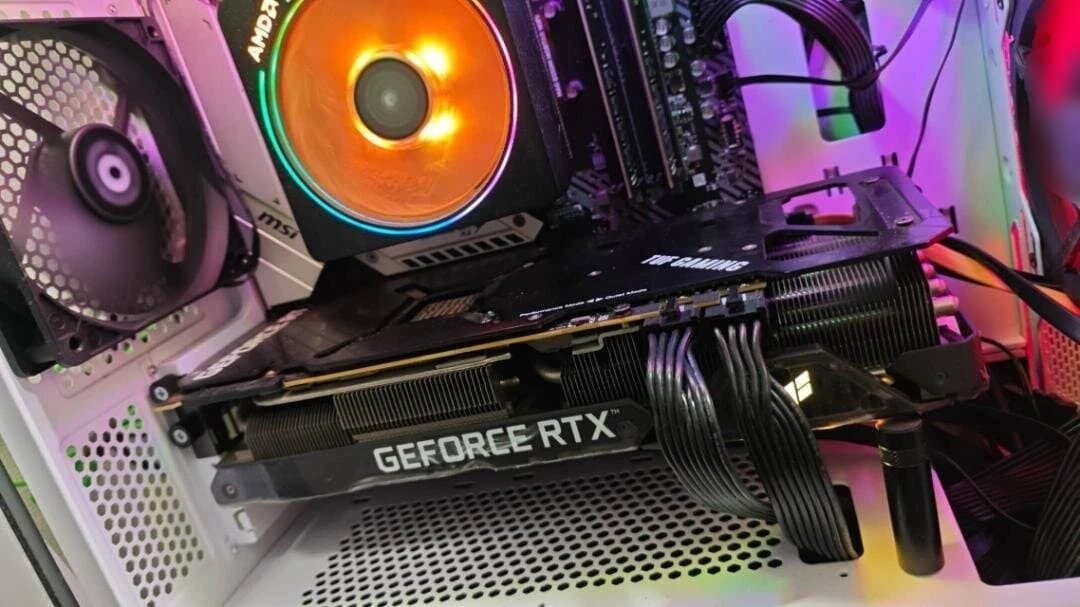
Every guide to running models locally, including mine, says the same thing: a 70B model needs roughly 48 GB of VRAM, which is two cards, and then changes the subject.
This is the article that does not change the subject. There are five routes to running a 70B at home, they differ enormously in cost, speed and hassle, and for most people the honest answer is the last one.
Why 48 GB
The arithmetic, briefly. A 70 billion parameter model at Q4_K_M quantisation is around 40 GB of weights. Add a KV cache for a usable context length and the compute buffers the runtime needs, and you are at 44 to 48 GB before anything goes wrong.
If it does not fit, the inference engine offloads layers to system RAM, and speed falls off a cliff - from tens of tokens per second to low single digits. There is no graceful middle. The jargon explainer covers why in detail.
So the question is really: what is the cheapest way to assemble 48 GB that a model can actually live in?
The five routes
| Route | Speed | Hassle | Best for |
|---|---|---|---|
| Two used 24 GB cards | Good | High | People who want it running at home, daily |
| One 48 GB workstation card | Good | Low | People with more money than patience |
| Apple unified memory | Moderate | Very low | People who wanted a Mac anyway |
| CPU and system RAM | Poor | Low | Batch jobs where you can walk away |
| Rent by the hour | Excellent | None | Almost everyone, honestly |
Route 1: two used 24 GB cards
The enthusiast answer, and the one the local AI community actually uses. Two second-hand RTX 3090s give you 48 GB, and inference engines split a model’s layers across both.
What nobody mentions until you are committed:
- It runs at roughly the speed of the slower card, and layer-split inference adds communication overhead between them. Two cards do not double throughput; they double capacity.
- PCIe lanes matter. Consumer motherboards often drop both slots to x8 when populated, which is usually fine for inference but is one more thing to check.
- Power. Two 350 watt cards plus a system needs a serious power supply and a plan for the heat.
- Physical space. Modern cards are enormous, and two of them need a case built for it.
Doable, satisfying, and a genuine project rather than a purchase.
Route 2: one workstation card
A single card with 48 GB removes every complication of route 1: one slot, one power connector, no lane arithmetic, no layer splitting. Used professional cards from the previous generation are the usual route.
You pay heavily for that simplicity, and in the current market memory-dense cards are exactly what everyone else wants too. Worth pricing, rarely worth buying, unless the machine earns money.
The middle ground is a 32 GB card, which will not hold a 70B but runs 32B models with room to spare.
Route 3: Apple unified memory
On Apple Silicon the GPU addresses system memory directly, so a Mac with 64 GB can load a 70B model without a graphics card existing at all.
It is slower than two 3090s - memory bandwidth is lower, and that is what governs generation speed - but it is silent, draws a fraction of the power, and involves no assembly whatsoever. If you were buying a Mac regardless, the memory upgrade is the cheapest 48 GB-plus of AI-usable memory available, by a wide margin.
If you were not buying a Mac, buying one for this is an expensive way to avoid a screwdriver.
Route 4: CPU and system RAM
You can run a 70B entirely on the processor. 64 GB of ordinary system memory is cheap by comparison, and llama.cpp will happily do it.
It will produce somewhere around 1 to 3 tokens per second.
That is unusable for conversation - slower than reading, slower than typing, painful to watch. But it is genuinely fine for batch work you do not sit and watch: summarise a folder of documents overnight, process a backlog, run a classification job while you sleep. Nobody cares how fast it went if the answer is waiting in the morning.
Worth knowing this route exists, because it costs almost nothing to try with hardware you already own.
Route 5: rent it
The one people skip because it feels like giving up, and the one that is right for most.
Cloud GPU providers rent serious hardware by the hour for a few pounds. A 70B on a proper datacentre card runs quickly, needs no assembly, no power supply, no heat management, and no capital outlay.
Do the maths honestly. If you run a 70B for two hours a week, renting costs a fraction of the electricity for a dual-3090 rig, never mind the cards. The break-even for owning is much further away than enthusiasm suggests, and by the time you reach it the hardware has moved on.
The counter-arguments are real: nothing rented is private, and a rented machine is not there at 11pm when the internet is down. If privacy is the whole reason you are doing this, renting defeats the point.
The uncomfortable question
Before spending anything: do you actually need a 70B?
A current 32B model runs on a single 24 GB card and will beat a two-year-old 70B on most tasks, because model quality per parameter has improved fast. The gap between 32B and 70B today is far smaller than the gap between 70B and a frontier cloud model, and closing it costs you a second graphics card, a bigger power supply and a hotter room.
Run a 32B properly first. If you can articulate exactly what it fails at that a 70B would fix, buy the second card with confidence. Most people discover the honest answer is context length or retrieval quality, and neither is solved by more parameters.
Frequently asked questions
How much VRAM does a 70B model need?
Around 48 GB at Q4_K_M quantisation: roughly 40 GB of weights plus KV cache and compute buffers. That means two 24 GB cards, one 48 GB card, or unified memory on Apple Silicon.
Can I run a 70B model on one 24 GB GPU?
Not at usable speed. It will load with heavy offloading to system RAM and produce a few tokens per second. Quantising harder to squeeze it in costs more quality than dropping to a 32B model that fits properly.
Is two 3090s better than one 4090 for AI?
For capacity, yes - 48 GB versus 24 GB, which decides what you can run at all. For speed on models that fit in 24 GB, the single 4090 wins comfortably. Capacity or speed: pick the one your workload actually needs.
How fast is a 70B model on CPU only?
Roughly 1 to 3 tokens per second, governed by system memory bandwidth. Useless for chat, perfectly reasonable for overnight batch work.
Is it cheaper to rent a GPU than buy one?
For occasional use, overwhelmingly. Renting a capable card costs a few pounds an hour, so a couple of hours a week takes years to reach the cost of two second-hand 3090s. Buying wins on privacy, availability and heavy daily use.
Related guides
- Best GPU for Running Local LLMs: A VRAM-First Buyer’s Guide - the single-card version of this decision
- Local LLM Jargon Explained: Tokens, Weights, VRAM and Quantisation - why quantisation and KV cache set the 48 GB figure
- Build a Headless Ubuntu LLM Server with Ollama on 8 GB VRAM - the machine all of this runs on
This article may contain affiliate links to Amazon, eBay and other retailers. I may earn a small commission from qualifying purchases made through these links at no additional cost to you.