
Here is how it usually goes.
You save up, you buy the card, you fit it, and everything is fine. Games run. Benchmarks pass. Then a fortnight later the machine reboots in the middle of a firefight. No blue screen, no error, no crash log worth reading. Just black, and then the motherboard splash screen, as though somebody pulled the plug.
So you reinstall the drivers. You underclock. You reseat the card. You start reading forum threads at one in the morning about whether it is a dodgy batch.
It is the power supply. It is nearly always the power supply.
The frustrating part is that the PSU passes every test you throw at it, because the thing that kills you is not average power draw. It is a spike lasting less than a thousandth of a second, and no monitoring tool you own will ever show it to you.
So let us size one properly.
The number on the box is not the number you need
A 750W power supply does not supply 750W of anything useful. It supplies 750W total, of which the part you actually care about is the +12V rail, because that is what feeds your graphics card and your CPU.
On any decent modern unit this is close to the full figure, 740W or so of that 750W. On cheap units it is not, and the difference is where a lot of misery lives. If a spec sheet is proud of the total and coy about the 12V amperage, that tells you something.
Two other things worth knowing before you add anything up:
- Rated output is continuous output, at a stated temperature. Some budget units are rated at 25°C, which is not a temperature that exists inside a working PC. A unit rated for continuous output at 40°C or above is telling you it was designed honestly.
- Rated output is not peak output. Every supply can exceed its rating briefly. How gracefully it does that is the whole ballgame, and I will come back to it.
Step 1: add up what you are actually running
Most people size a PSU off the graphics card and stop there. The card is the biggest single number, but it is rarely more than two thirds of the total, and the rest is not rounding error.
The graphics card
Use the manufacturer’s board power figure, not the chip’s TDP:
| Card | Board power | Connector |
|---|---|---|
| RTX 5090 | 575W | 12V-2x6 |
| RTX 5080 | 360W | 12V-2x6 |
| RTX 5070 Ti | 300W | 12V-2x6 |
| RTX 5070 | 250W | 12V-2x6 |
| RTX 5060 Ti 16GB | 180W | 8-pin |
| RTX 4090 | 450W | 12VHPWR |
| RTX 3090 | 350W | 2x or 3x 8-pin |
| RX 9070 XT | 304W | 2x 8-pin |
| RX 7900 XTX | 355W | 2x 8-pin |
| Arc B580 | 190W | 8-pin |
Factory overclocked models pull more than the reference figure, sometimes 10 to 15 percent more, and the box rarely makes a fuss about it. If you have bought a card with three fans and a name containing the words STRIX, SUPRIM or AORUS, assume the higher end.
The CPU, which is worse than its TDP suggests
This is where people get caught out, because the number in the marketing material is not the number the chip pulls when it is busy.
- Ryzen 7 9800X3D: 120W TDP, but its real ceiling is the 162W package power figure
- Ryzen 9 9950X: 170W TDP, roughly 230W in practice
- Core Ultra 9 285K: 125W base, 250W when it is actually working
- Core i9-14900K: 125W base, 253W at full tilt, and more on a motherboard with the limits unlocked
Use the higher number in both cases. Your CPU will not be at peak while your GPU is at peak in most games, but “most games” is not the same as “never”, and video encoding, compiling and AI work will absolutely do both at once.
Everything else, which adds up faster than you think
- Motherboard: 30 to 70W depending on the chipset and how much is soldered to it
- RAM: 3 to 5W per DDR5 stick
- NVMe SSDs: under a watt idling, but 7 to 12W each under sustained write, and Gen5 drives sit at the top of that
- SATA SSDs: about 3W each
- Hard drives: 6 to 9W running, but 20 to 25W for a couple of seconds on spin-up, all of it on the 12V rail, and all of your drives do it at the same moment you press the power button
- Fans: 1 to 3W each, and a mesh case with seven of them is not unusual
- AIO pump: 5 to 12W
- RGB: genuinely trivial per device, genuinely not trivial if you have gone all in
Call it 100W for a typical build and 150W for a loaded one. The spin-up surge is why a machine full of hard drives can fail to boot on a PSU that runs it perfectly well once it is up.
A worked example
Dave, who you may remember from the jargon guide, has finally upgraded. The 8 GB card he claimed was for video editing has been retired to a second machine, and there is now an RTX 5080 in the main box.
- RTX 5080: 360W
- Ryzen 7 9800X3D: 162W
- Motherboard, 32 GB of DDR5, two NVMe drives, six fans, an AIO: about 120W
That is 642W at peak. Dave owns a 750W unit, which looks like it clears it with room to spare.
It does not, and the next section is why.
Step 2: transient spikes, or why your PC reboots
A graphics card does not draw power smoothly. It draws it in bursts, as workloads start and stop across thousands of cores, and those bursts are far larger and far shorter than anything your software can see.
Ampere cards were notorious for this. An RTX 3080 rated at 320W was measured spiking past 500W, and a 3090 past 600W, for periods of under a millisecond. Modern cards are better behaved but they still do it.
Your power supply sees that spike and has a decision to make. A good unit rides it out. A unit with aggressive over-current protection and not much headroom decides it is a short circuit and shuts down to protect itself, which from where you are sitting looks like the machine rebooting for no reason during a game.
This is the failure that sends people down the driver rabbit hole for a fortnight.
It is also the reason the ATX 3.0 specification exists. It asked power supplies to swallow bursts well above their continuous rating for fractions of a millisecond without tripping. ATX 3.1 then tightened the rules on the card side too, so the spikes themselves got smaller.
The practical version: if you are buying new, buy ATX 3.1. It costs almost nothing extra, it comes with the revised connector, and it is specified for exactly the behaviour that modern cards exhibit.
So Dave’s 642W build on a 750W unit is running at 86 percent of rating, before the spikes. That is the zone where a mediocre PSU starts tripping and a good one starts getting loud.
Step 3: headroom, and why 50 percent is the sweet spot
There are three separate reasons to leave headroom, and only one of them is about spikes.
Efficiency. Power supplies are most efficient at somewhere around half their rated load. That is the peak of the curve, and it is where 80 Plus does its measuring. Running flat out all evening is the least efficient place to be.
Noise. PSU fan curves are tied to load. A 1000W unit at 500W is usually silent. A 750W unit at 650W is not, and it is right next to your feet.
Ageing. Capacitors degrade, and they degrade faster when hot. A supply run near its limit for four years is measurably weaker than one that has cruised, which matters because your next graphics card will want more than this one did.
So the rule of thumb:
Add up peak GPU, peak CPU and 100 to 150W for everything else. Multiply by 1.4. Round up to the next size that exists.
For Dave: 642W multiplied by 1.4 is 899W, so 850W as the sensible minimum and 1000W if he plans to upgrade again. His 750W unit is not going to explode, but it explains the reboots, and he was one card away from finding out the hard way.
| Build | Size | Where to buy |
|---|---|---|
| RTX 5060 Ti / Arc B580, mid-range CPU | 650W | 650W ATX 3.1 |
| RTX 5070 / RX 9070 XT | 750W | 750W ATX 3.1 |
| RTX 5070 Ti / 5080, or a used 3090 | 850W | 850W ATX 3.1 |
| RTX 4090 | 1000W | 1000W ATX 3.1 |
| RTX 5090 | 1000W minimum, 1200W preferred | 1200W ATX 3.1 |
| Two big cards | 1600W, and read the dual-GPU section first | 1600W |
| ITX, full-size card | 750W SFX-L | 750W SFX |
Online PSU calculators are a reasonable sanity check but they tend to run generous, partly because most of them are hosted by companies that sell power supplies. If a calculator and the arithmetic above disagree by 50W, ignore it. If they disagree by 300W, work out which of your components it has misread.
Step 4: the cable rule, which is the expensive one
Modern cards pull up to 600W through a single connector not much bigger than a USB port. That connector has a history, and if you take one thing from this article, take this section.
Use the native cable that came with your power supply. Not the adapter in the graphics card box, not a cable from a different PSU brand, not an extension.
This matters more than it sounds. Modular PSU sockets are not standardised between manufacturers, so a Corsair cable in a Seasonic unit can be pinned differently, and the failure mode there is not “it does not work”, it is “it works until something melts”. If your supply is ATX 3.1 it shipped with a proper 12V-2x6 cable. Use that one.
Then:
- Seat it fully. You should feel and hear it click. The great majority of melted connectors were not pushed home. The revised 12V-2x6 design shortens the sense pins specifically so a partly seated plug delivers reduced power instead of full power, which is a fix for a problem that should never have existed.
- Do not bend it tightly near the plug. Give it about 35mm of straight cable before any turn. Side panel pressing the cable into a bend is a real cause of this, and it is why some cases now ship with a cutout.
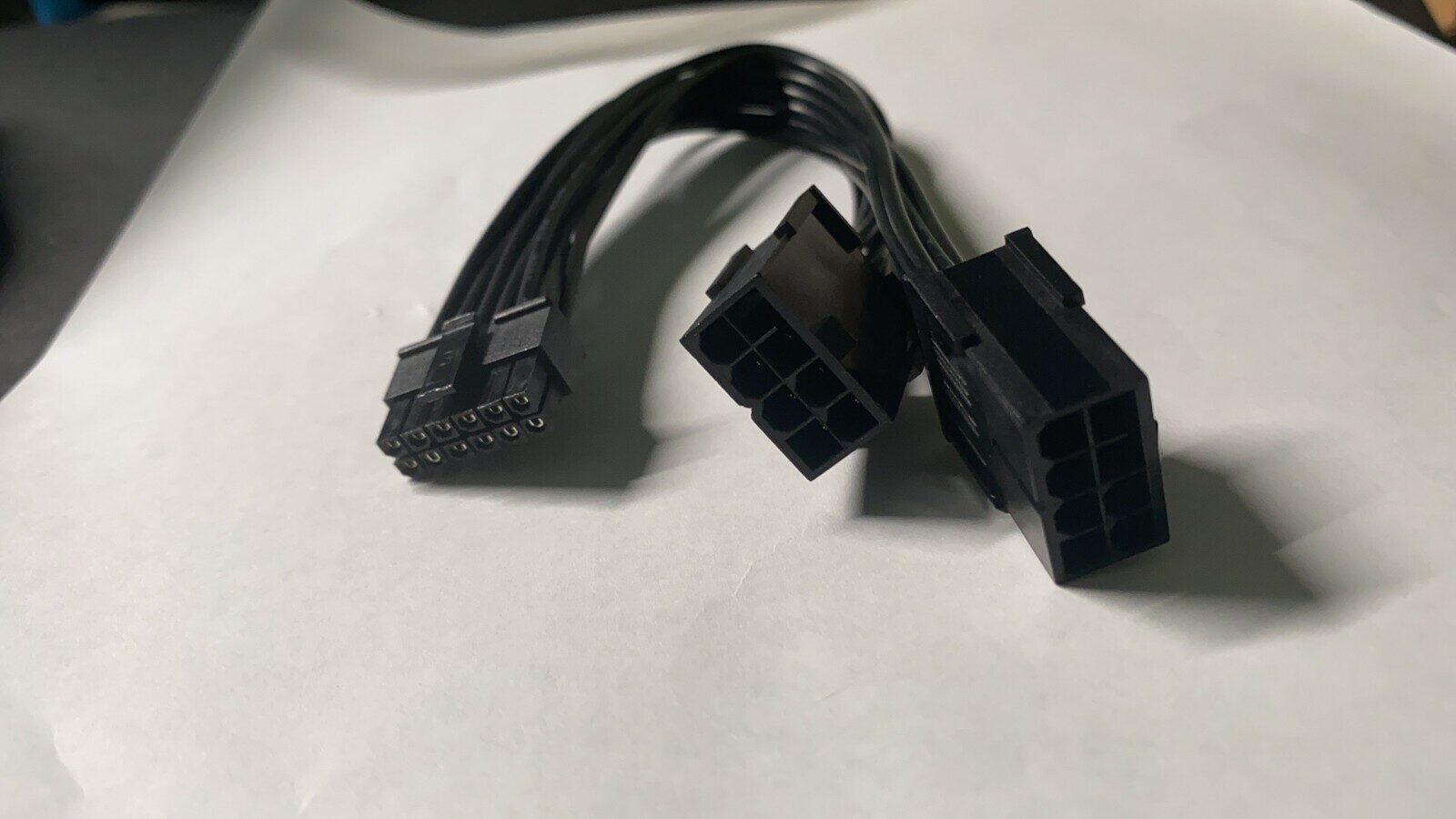
- Do not daisy chain. If your card wants two 8-pin connectors, run two separate cables, not one cable with two plugs on the end. That pigtail exists for low-power devices and people use it for 300W graphics cards.
- Check it after a few weeks. Power down, unplug, look inside the connector. Any browning means stop.
The same inspection is worth doing on any second-hand card before it goes near your machine, which is covered in how to test a used GPU.
Step 5: the badges, and what they are worth
80 Plus tiers run Bronze, Silver, Gold, Platinum, Titanium, and they measure efficiency at fixed load points. Gold is roughly 90 percent efficient at half load, Bronze roughly 85.
Does the upgrade pay for itself? Do the maths rather than assuming. Five percentage points of efficiency on a system pulling 400W is 20W, and at four hours a day that is under 30 kWh a year. In the UK that is roughly £8. Gold over Bronze is worth it, but not because of the electricity, which takes years to repay the difference. It is worth it because manufacturers do not put Gold ratings on units with cheap capacitors, so the badge is a decent proxy for build quality even when the efficiency is irrelevant.
Above Gold, the economics get thin. Platinum and Titanium are for people running a machine flat out around the clock, which if you are doing AI inference might genuinely be you.
One rating worth knowing about: Cybenetics publishes both efficiency and noise measurements, tests across the whole load range rather than three points, and is harder to game than 80 Plus. If a unit you are considering has a Cybenetics report, read it.
Two more things that separate a good unit from a bad one, neither of which is on the box:
- Warranty length. Ten to twelve years is a manufacturer betting its own money that the unit lasts. Three years is a different kind of statement. This is the single most reliable quality signal available to a buyer who cannot read a teardown.
- Single rail versus multi rail. Modern single-rail units are fine and simpler to plan around. Multi-rail splits protection across several 12V outputs, which is arguably safer but means you have to think about which cable goes where. For almost everyone, single rail.
Buy the card used if you like, but buy the PSU new
Second-hand graphics cards are a genuinely good idea. Second-hand power supplies are not.
Capacitors age whether the unit is used or sitting in a cupboard, and there is no test you can run in your kitchen that tells you how much life is left. Worse, a graphics card that dies takes itself out, whereas a power supply that dies badly can take the motherboard, the drives and the card with it.
A PSU also outlives everything else in the box. Mine has seen three graphics cards. Size it for the machine you will have in four years, not just the one you are building this week, and it is the cheapest component you own per year of service.
Dual GPU, which changes several rules at once
Two cards is not simply twice the arithmetic, though it is that as well. Four things change.
The connector count is a hard constraint. A 1200W supply that provides two 12V-2x6 cables will not run two cards that each want their own, no matter how many watts it has. Count the native cables in the specification before you buy, not the wattage.
The slots contribute too. Each PCIe x16 slot delivers up to 75W from the motherboard, which comes from the same power supply through the 24-pin. Two cards, two slots, 150W that is easy to forget.
Then there is the wall. This is the one that surprises people, and it depends entirely on where you live.
- UK and most of Europe: 230V through a 13A plug is nearly 3000W. You will run out of PSU long before you run out of socket.
- United States: a standard 15A, 120V circuit tops out at 1800W, and electrical code assumes a continuous load should not exceed 80 percent of that, which is 1440W. A 1600W power supply genuinely cannot be run flat out on a normal American wall socket. It needs a 20A circuit, and probably its own.
That is not a theoretical limit. It is why serious multi-GPU rigs in the US end up on dedicated circuits, and why “just buy a 2000W unit” is not the answer it appears to be.
And the smart answer, which is to stop drawing so much. Two cards at their factory power limits is mostly wasted energy. The top 20 percent of a GPU’s power budget buys single-digit percentage gains in performance, and for AI inference the relationship is even worse.
# Cap each card at 300W. Persists until reboot; add it to a systemd unit to make it stick.
sudo nvidia-smi -pl 300
Two 4090s power limited to 300W each pull 600W instead of 900W, and lose in the region of 5 to 10 percent throughput. That turns a build that needs a 1600W supply and a new circuit into one that runs on 1200W and stays quiet. If you are building for local AI work, do this before you spend money on a bigger PSU. There is more on the reasoning in the local LLM buyer’s guide and in running 70B models at home.
The short version
- Add up peak GPU, peak CPU, and 100 to 150W for everything else
- Multiply by 1.4 and round up to a size that exists
- Buy ATX 3.1, and buy new
- Use the native cable, seat it until it clicks, do not bend it at the plug
- Gold is the value tier, and a long warranty tells you more than the badge does
- With two cards, count the cables and check your wall socket before you count the watts
Get it right once and you will not think about it again for a decade, which is more than you can say for anything else in the case.
Frequently asked questions
What PSU do I need for an RTX 5090?
1000W is the sensible minimum and 1200W is the comfortable answer, especially with a high-end CPU. The card alone is 575W, and its transient spikes go well above that for fractions of a millisecond. This is a build where ATX 3.1 and a native 12V-2x6 cable are not optional extras.
Is a 1000W power supply overkill for a mid-range card?
Not really, though you are paying for capacity you will not use. A larger supply does not draw more electricity than the system needs, and running at 40 percent load means better efficiency, a quieter fan and slower ageing. The real argument against it is the price, and the fact that the money might be better spent on a better 850W unit than a mediocre 1000W one.
Does a bigger PSU use more electricity?
No. A power supply delivers what the components ask for, not what it is rated for. A 1000W unit running a 400W system draws about 400W plus its conversion losses, and because it is sitting nearer the efficient part of its curve, those losses can actually be slightly lower than a smaller unit would produce.
Can I use the adapter that came with my graphics card?
You can, but the native cable from your power supply is better in every respect. The adapters exist to make new cards work with older supplies, they add connections where resistance and heat can build, and they are involved in a disproportionate share of the melted connector reports. If your PSU has a 12V-2x6 socket, use it.
Do I need an ATX 3.1 power supply?
If you are buying new, yes, because the price difference is negligible and it is specified for how modern cards actually behave. If you already own a good quality ATX 2.x unit with enough headroom, it will very likely be fine. The units that struggle are the ones running close to their limit, which is another argument for the 1.4 multiplier.
How do I know if my power supply is causing crashes?
The signature is a reboot or an instant power-off with no blue screen and nothing useful in the event log, happening under load rather than at idle, and often at moments when the scene changes suddenly. If you can reproduce it by capping the GPU’s power limit and having it stop, that is close to a diagnosis. A wall power meter tells you your average draw, though not the spikes that are doing the damage.
What size PSU do I need for two GPUs?
Add both cards’ board power, the CPU, 150W for the rest, then apply the 1.4 multiplier, and check separately that the unit provides enough native GPU cables for two cards. Then look at your wall socket, because in the US a normal 15A circuit caps you around 1440W continuous. Power limiting both cards is usually the better engineering answer than buying a bigger supply.
Is it safe to buy a used power supply?
It is the one component worth buying new every time. Capacitors age on the shelf as well as in service, you cannot inspect them, and a failing PSU can damage everything downstream of it. Buy the graphics card second hand and put the savings into a supply with a ten year warranty.
Related guides
- Best Graphics Card for Gaming: A Resolution-First Buyer’s Guide - work out which card you want before you size the supply
- How to Test a Used GPU - including the connector inspection that matters here
- Best GPU for Running Local LLMs: A VRAM-First Buyer’s Guide - where power limiting earns its keep
- What to Do With Your Old GPU - the card the new power supply just replaced
This article may contain affiliate links to Amazon, eBay and other retailers. I may earn a small commission from qualifying purchases made through these links at no additional cost to you.